Right-click a field to ask for a value
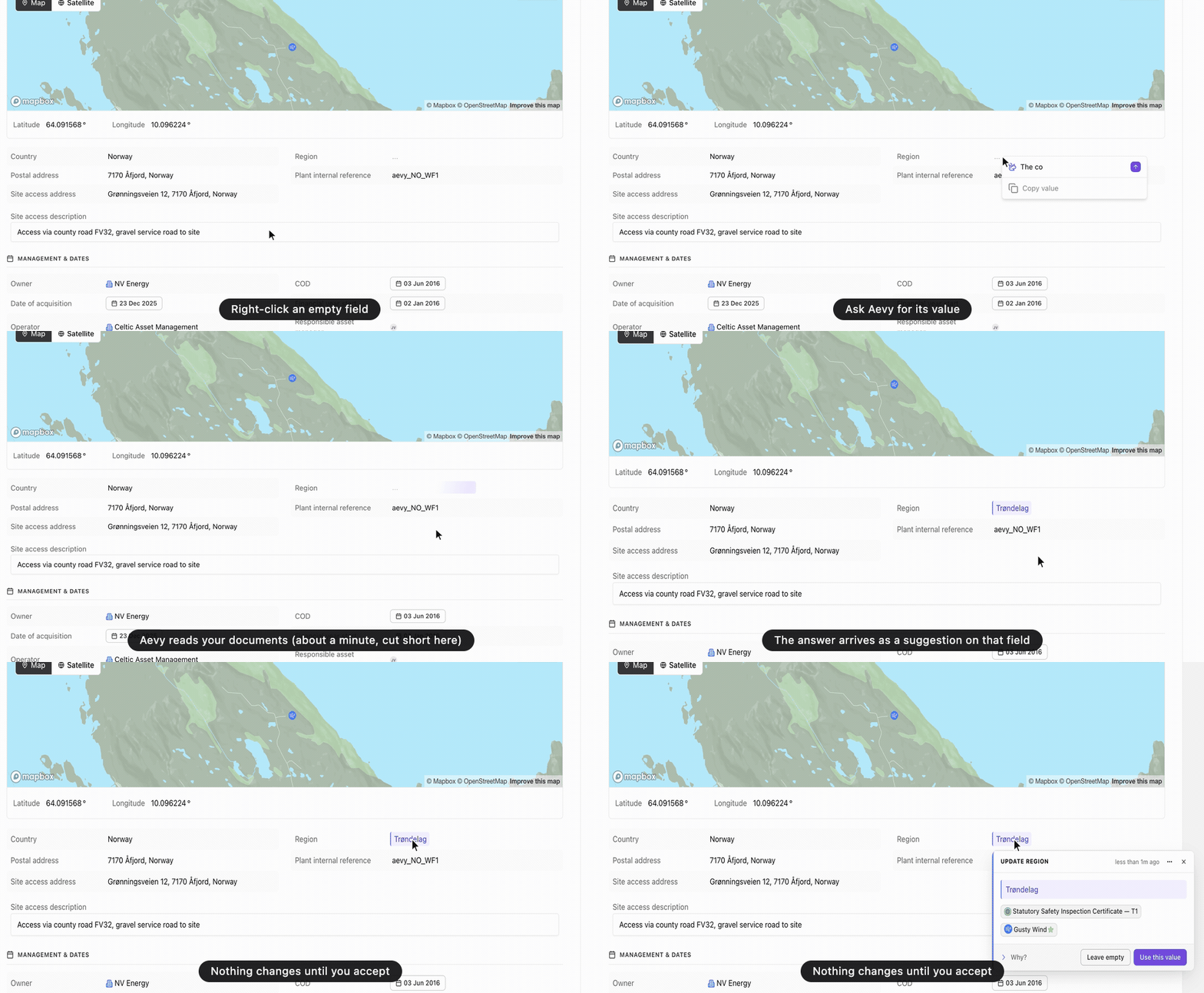
Right-click a field on a record, such as a property in an asset’s details or a task’s due date, and type what you want in Ask Aevy to suggest a value…: where to look, or the value itself. The field shimmers while Aevy reads your documents, and the answer arrives as a pending suggestion on that field, with your request at the top of its reasoning. Right-click a task, event, finding, system, or obligation for Ask Aevy to change this…, which can propose an update, a completion, or a new assignee. Nothing changes until you accept. When Aevy finds nothing, the field says so and why. Also new: an administrator can switch a feature off for the whole organization under Settings > Features, without deleting its data, as core concepts explains. Analyses join Due Diligence.
Also in Suggestions, Core concepts