Systems and components
Systems and components organize the equipment on an Aevy asset, from the whole site down to the single part. A system is a major part of the site, such as a turbine or the substation. A component is a part inside one, such as a gearbox or an inverter. Findings roll up from component to system to asset.
The examples below come in a wind and a solar version. Pick your technology on any tab, and every example on the page follows. Aevy remembers your choice as you move between guides.
Systems is an Asset Management feature. In Due Diligence, an asset is something you review rather than run, so the row isn’t there. Switch mode from your account menu at the bottom of the sidebar.
Anatomy
Section titled “Anatomy”The equipment on an asset is a three-level hierarchy: asset, system, component. Systems belong to an asset, so you reach them from Systems in the sidebar while the asset is open. The chevron beside that row lists the systems themselves, so you can open one directly.
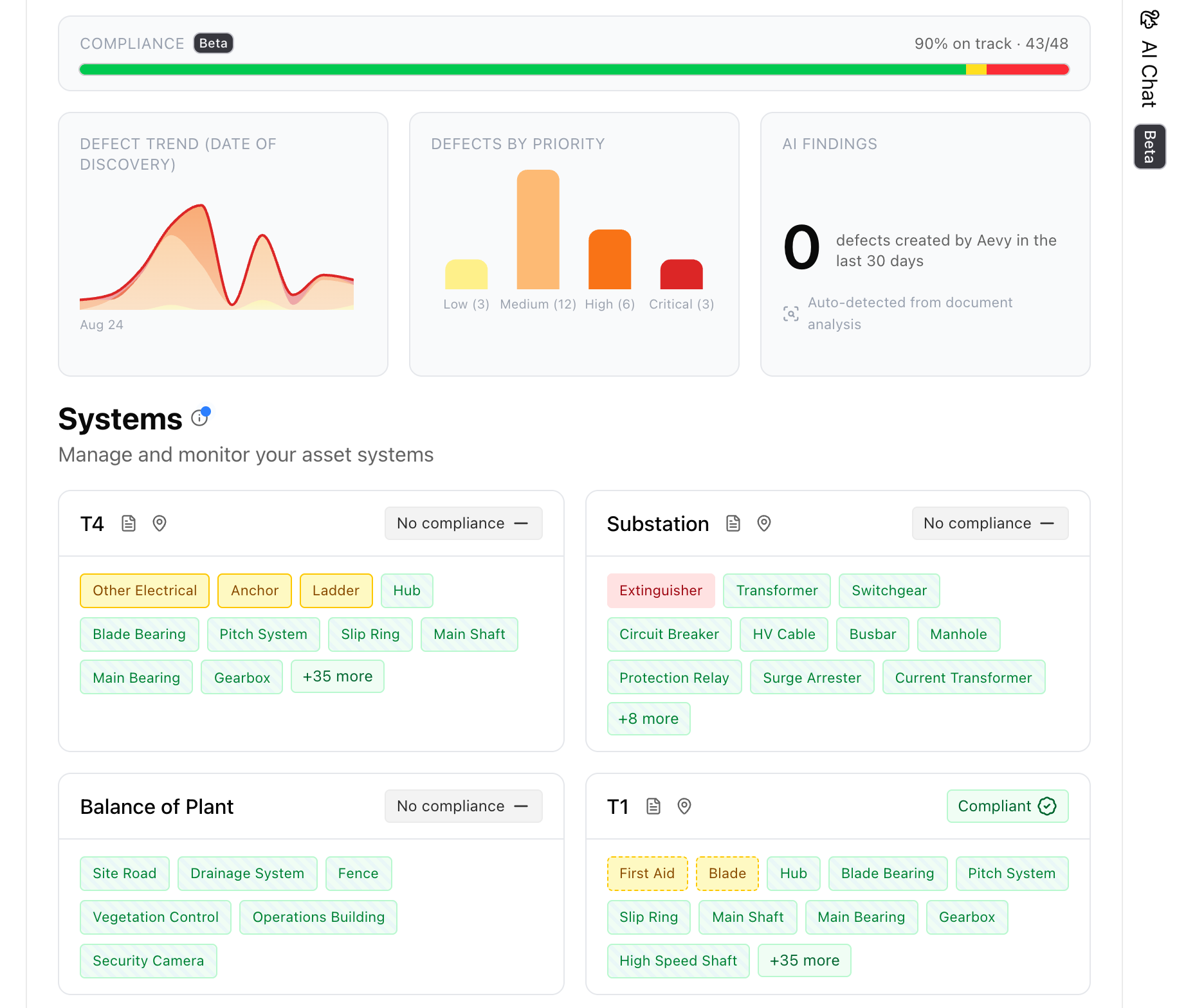
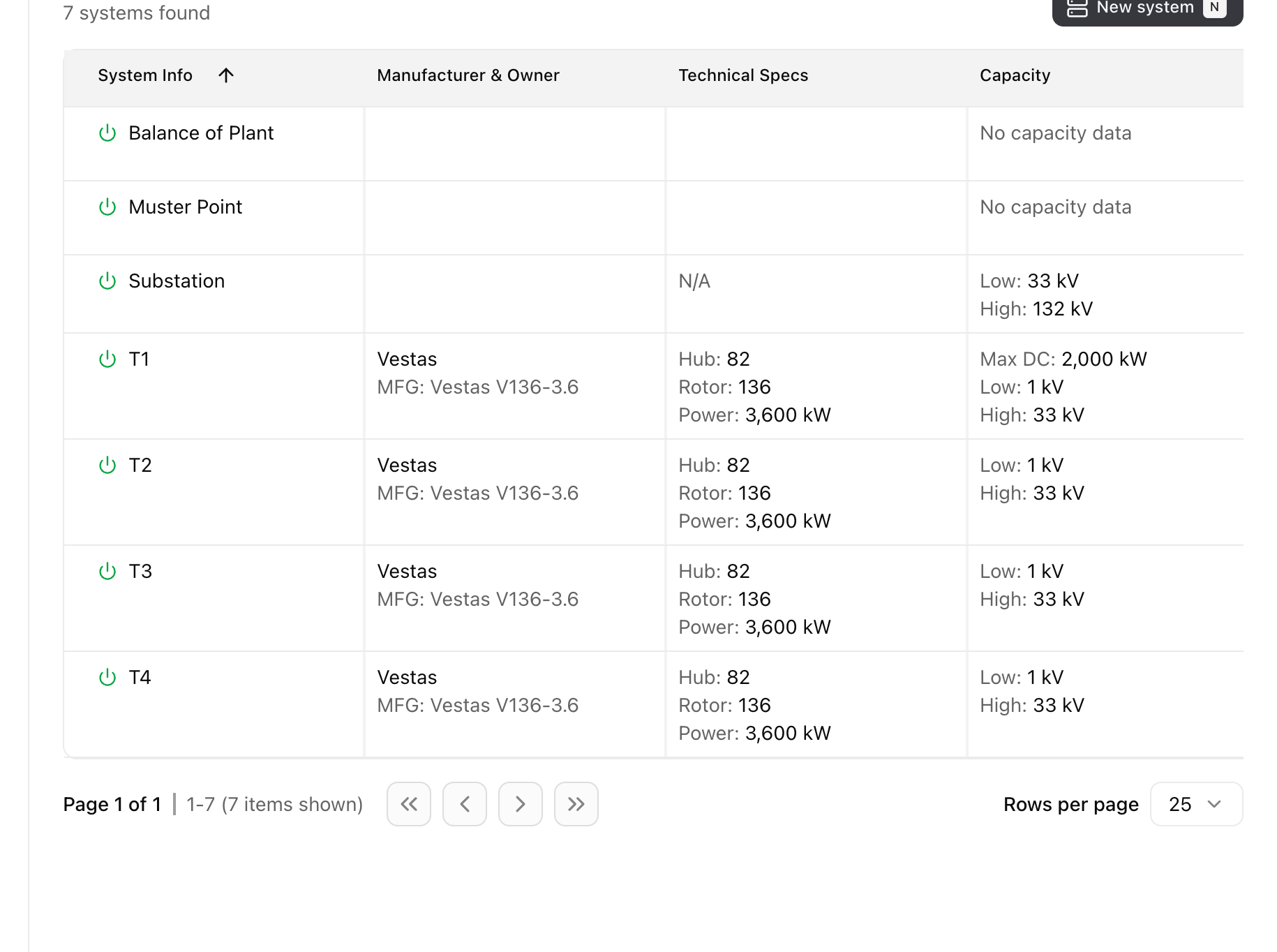
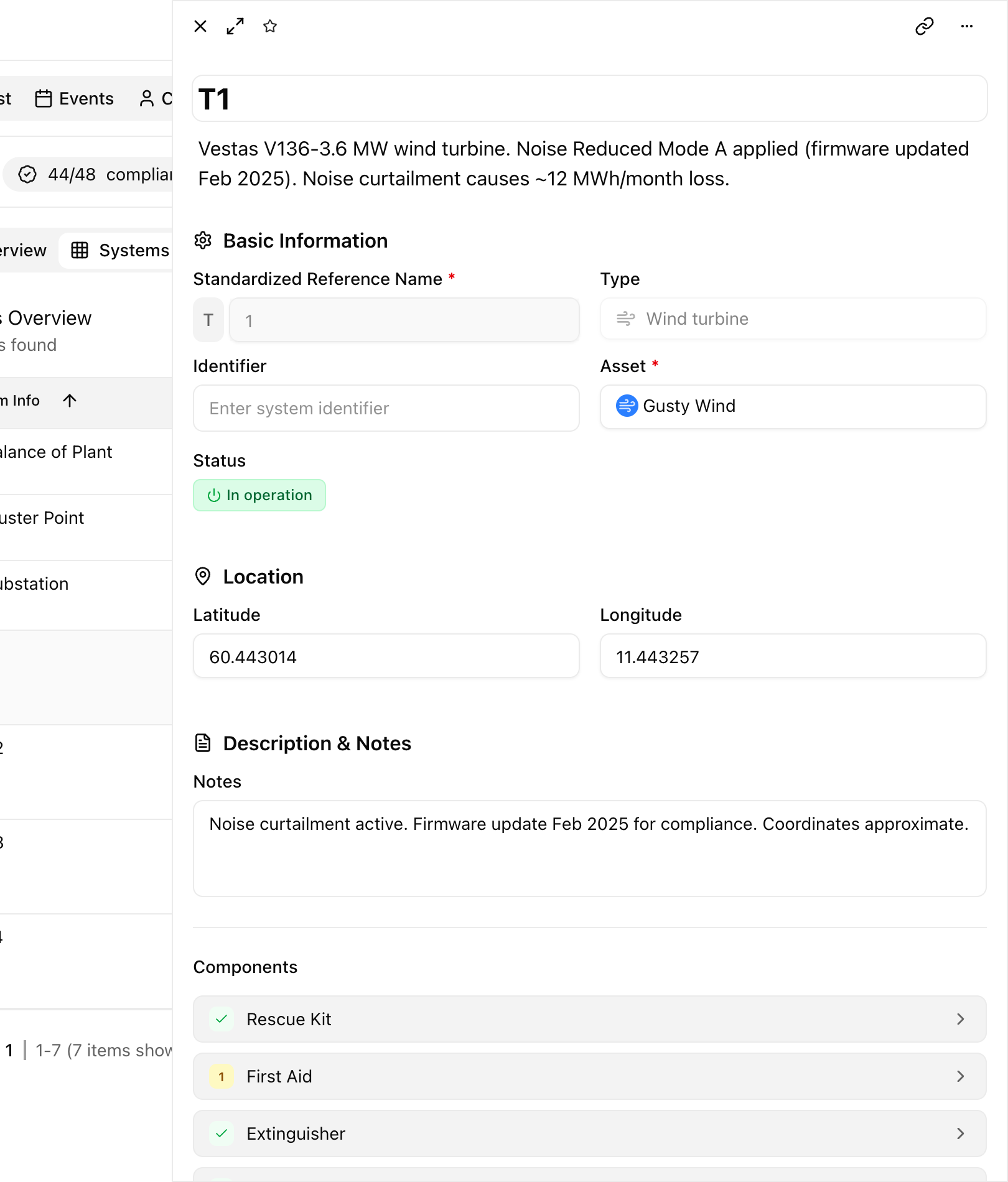
On a wind farm, a system is a turbine, the substation, or the balance of plant. A component is a part inside one: a gearbox, a transformer, a rescue kit.
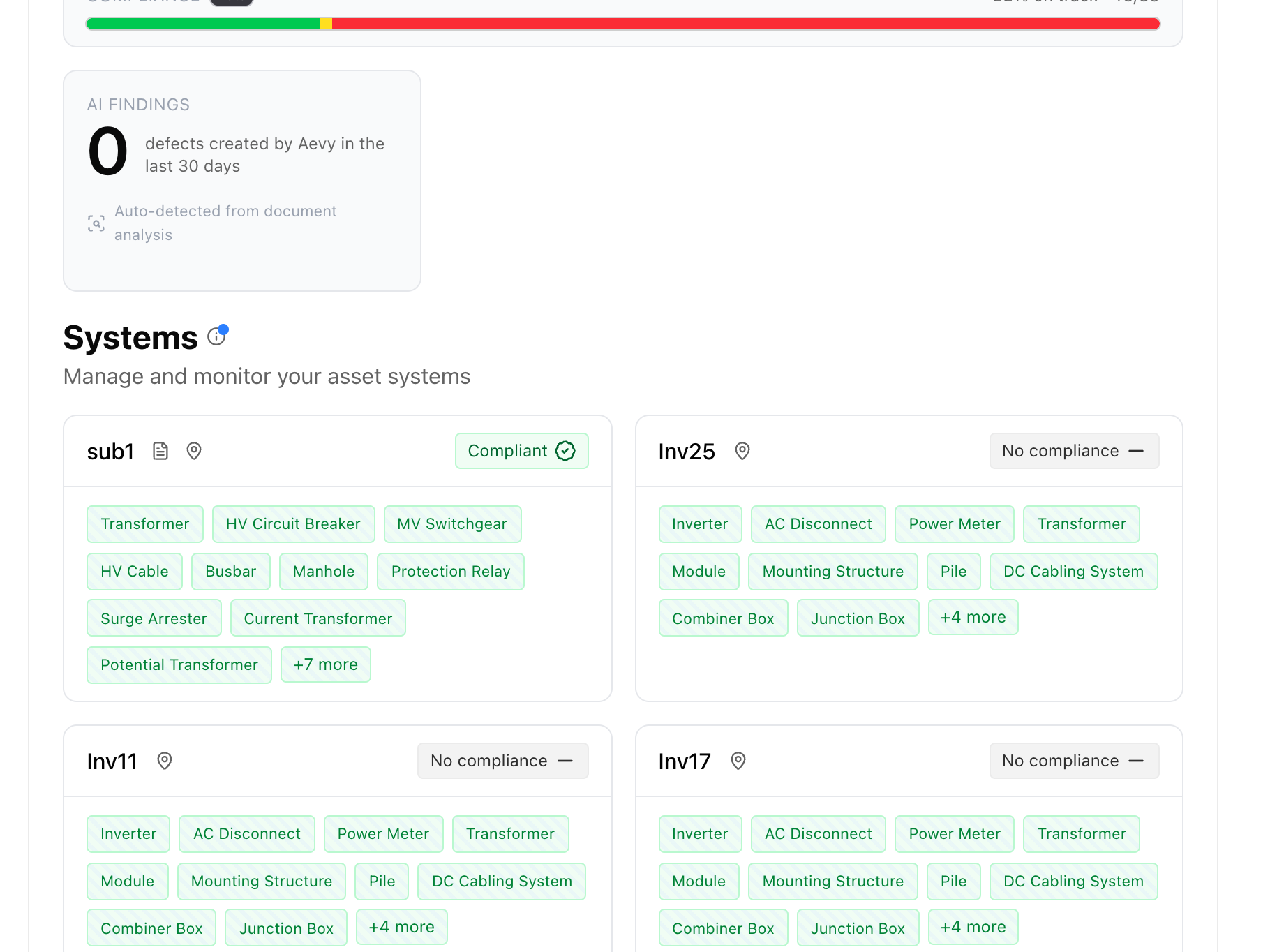
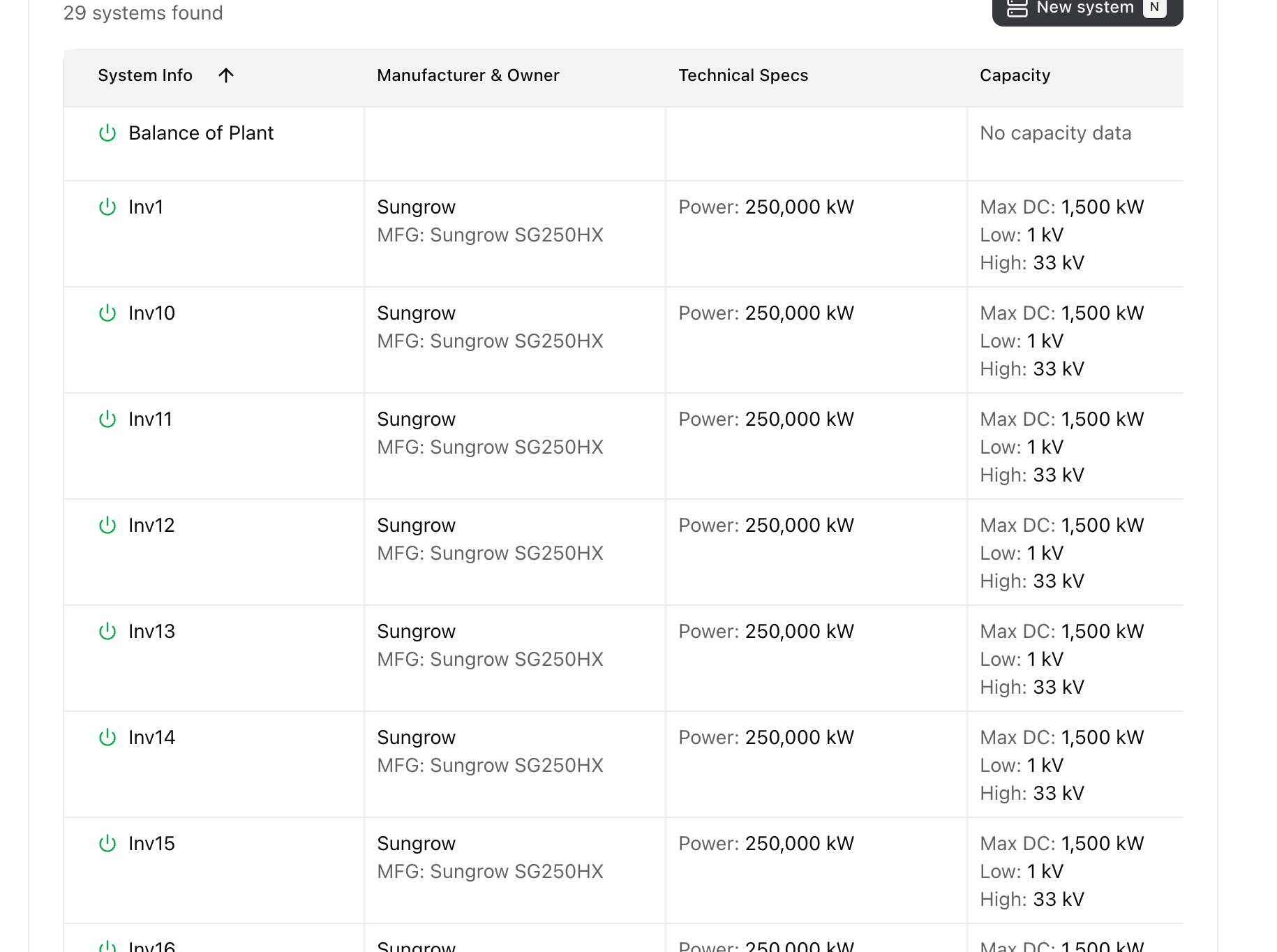
On a solar plant, a system is the substation or an inverter station. A component is a part inside one: an inverter, a PV module, a combiner box.
Three tabs are above the systems, each a different way to read the same equipment:
- Overview. The cards, with components as tags.
- Systems list. A table with the specifications for the technology: manufacturer and owner, capacity, and operating status. It also includes hub height and rotor diameter on a wind farm, or AC and DC voltage on a solar plant.
- Systems map. The systems placed on a map, where they have coordinates.
Read the overview
Section titled “Read the overview”The overview opens on cards, one per system, with the components listed as tags. Each card’s corner shows its obligations state: Compliant, Obligation expiring when one is due soon, Not compliant when one is overdue, or No obligations, where nothing applies to that system yet. A card holding more parts than fit ends in a count of the rest.
On a wind farm the cards are the turbines, the substation, and the balance of plant. Parts like the gearbox and transformer appear as tags inside each one.
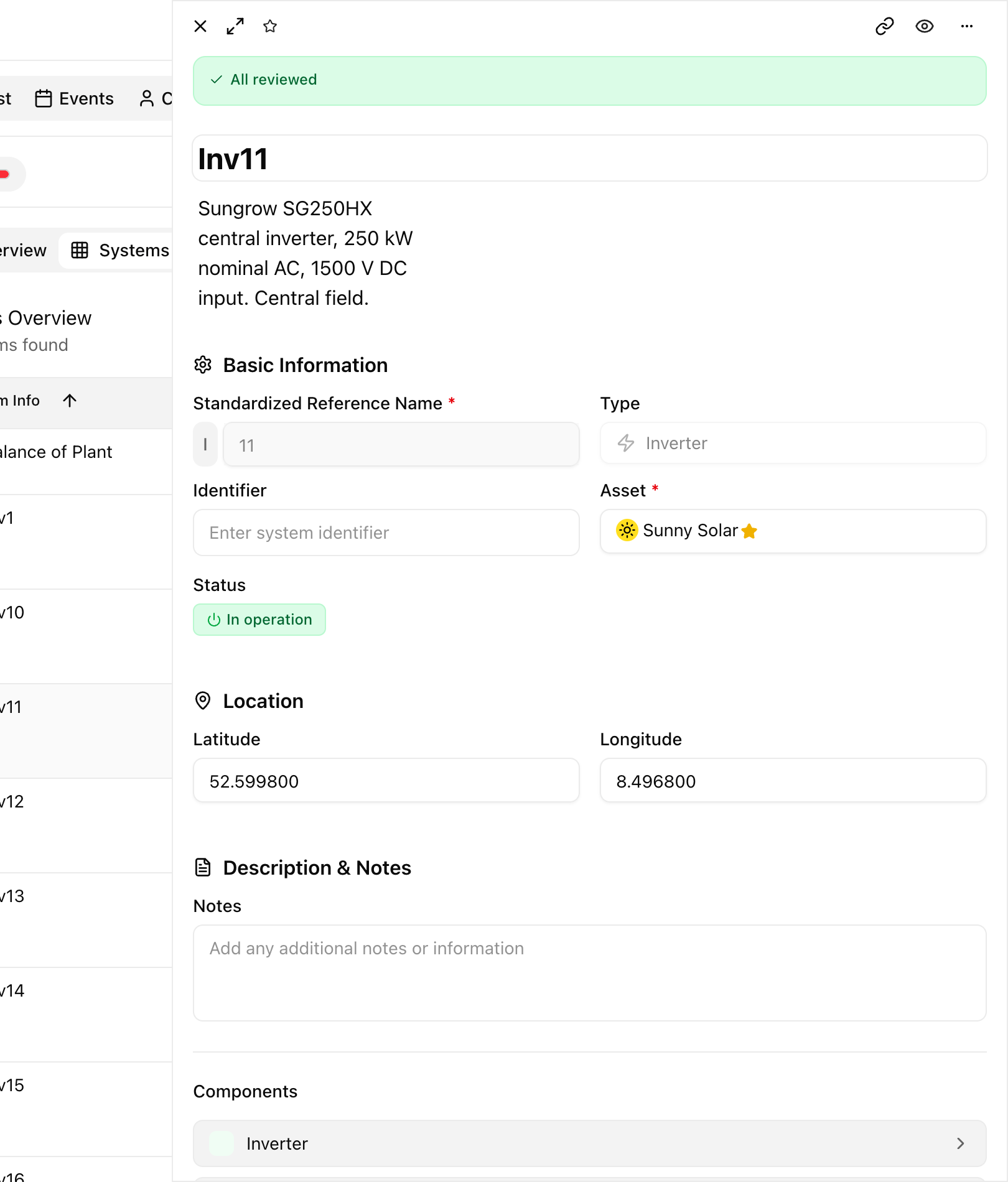
On a solar plant the cards are the substation and the inverter stations. For Sunny Solar you see sub1 alongside inverter stations like Inv11, Inv17, and Inv25. The tags are the parts inside each one: an inverter, PV modules, a combiner box, DC cabling, the mounting structure, and piles.
Open a system
Section titled “Open a system”Open a system to see its full record: its standardized reference, type, status, location, and description, and beneath that the components it holds. The description is rich text, and takes @mentions. Each component is a step deeper: open one to reach its findings.
For an inverter station like Inv11, the record reads: a Sungrow SG250HX central inverter at 250 kW AC and 1500 V DC input, in operation. The list below shows its inverter, modules, and combiner box.
Add a system
Section titled “Add a system”Use New system on the systems view to create one and fill in its reference, type, and status. Aevy maps components to systems when it sets up your asset, so the parts are already under the right system when you arrive.
Limits
Section titled “Limits”Charts that read the asset as a whole, such as a findings trend, are sections you add to the asset’s Overview. A section that shows systems can also draw them on a map. Statutory inspections have their own row among the asset’s sections in the sidebar, under Views, alongside component obligations.
What’s next
Section titled “What’s next”- Statutory inspections: the same parts read as compliance, one grid for the whole asset.
- Findings: the open work a component marker points at.
- Asset overview: the dashboard for the asset as a whole.