Squirrel
Squirrel is Aevy’s AI asset manager, in the chat panel on the right edge of every page. Ask it a question in plain language and it answers from your own documents and records. It shows the steps it took, cites its sources, and proposes work as suggestions you accept or dismiss.
Anatomy
Section titled “Anatomy”Squirrel is the assistant behind the AI Chat panel.
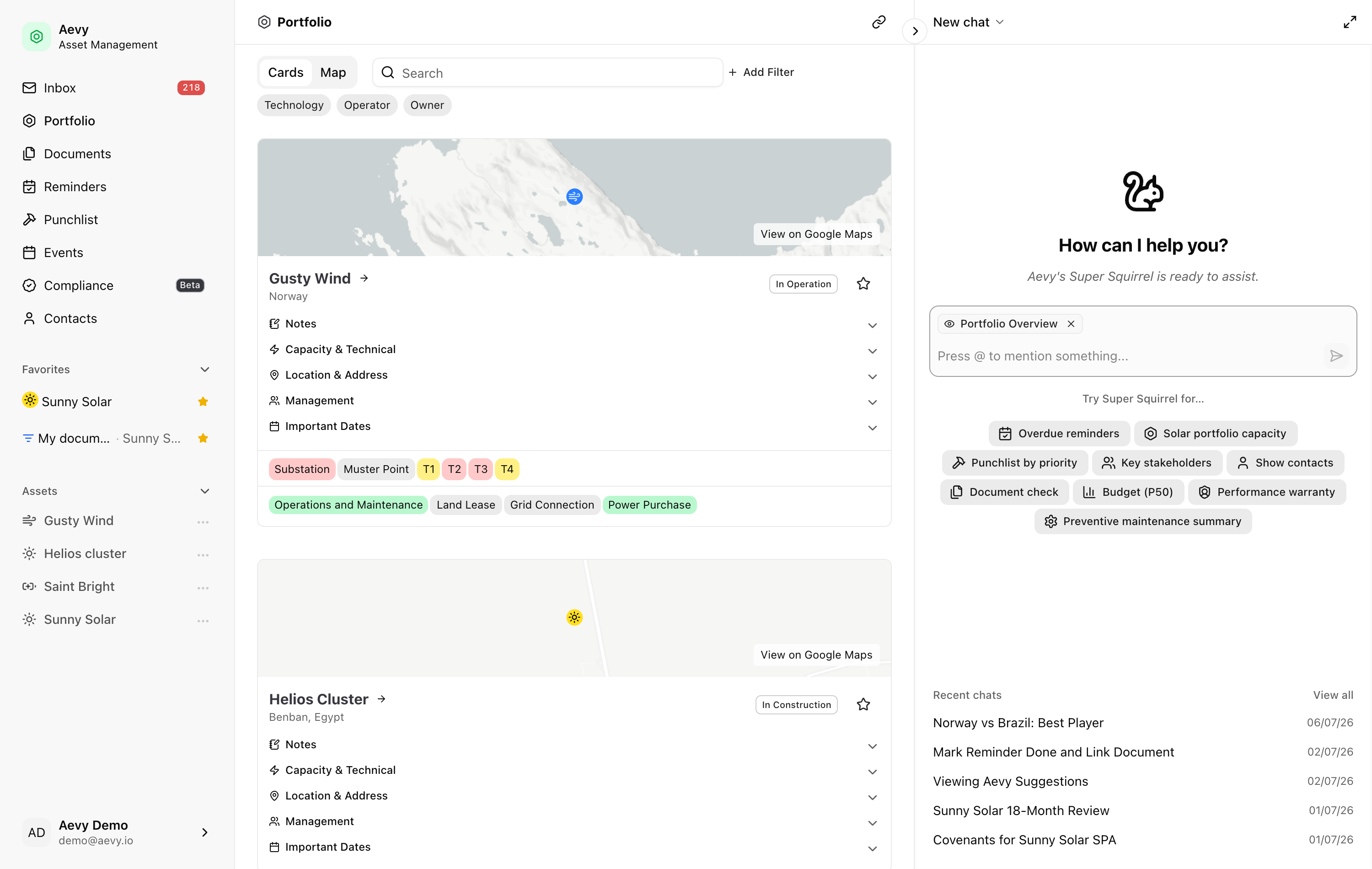
Squirrel works the platform through the same actions you have, which is why its answers line up with what you see. It can:
- Find and read. Search and summarize assets, systems, and components. Find, read, and search across your documents.
- Look things up. Pull extracted facts from documents, and find tasks, obligations and the work they recur into, findings, and events.
- Draft, for your confirmation. Write what you ask for, such as a task or a finding, as your own draft, and propose suggestions you accept, dismiss, or ask it to revise.
- Act in place. Post a comment on a record, change your notification settings, build or rework the sections on Home or an asset’s Overview, watch a record for updates, and remember your preferences across conversations.
- Run your saved work. Execute a saved view by name and return the rows, or the same rows as a file, or draw a new view for you to save.
- Explain the platform. Answer questions about how Aevy works by searching these guides.
- Go deeper. Hand a harder question to a background helper without making you wait for the reply.
Start your first conversation
Section titled “Start your first conversation”Where your organization has it turned on, Squirrel introduces itself on your first visit. It asks about your role and the assets you look after, and saves the answers to its memory. The Getting to know you guide covers the introduction.
Ask a question
Section titled “Ask a question”Open the chat panel from the right edge of any page. Type your question, or start from one of the prompt cards under What should we look at?, such as Overdue tasks or Portfolio brief. To point Squirrel at a specific thing, type @ and mention it: an asset, a document, a task. The mentions guide covers this. Aevy keeps your chats, so you can return to a thread from “Recent chats” and carry on.
Run and export a saved view
Section titled “Run and export a saved view”Name a saved view in chat and Squirrel runs it, applying the filters, sorting, and columns you saved instead of guessing a fresh query. The rows you get back are the rows the page would show. Ask for it as a file and the same run comes back as a CSV or Excel download. A view you have starred resolves by name from your favorites, which makes the name you already use the name you ask for.
You can also ask for a view that does not exist yet, such as “a timeline of this month’s tasks”. Squirrel draws it in the chat with the filters, display, and grouping you described. On assets, it can also total a capacity column in a chart. Save view keeps it as a tab on that page, and Open takes you there.
Ask how Aevy itself works
Section titled “Ask how Aevy itself works”Product questions get a different treatment from data questions. Ask how filtering works or where suggestions come from, and Squirrel searches this guide site, ranking sections by keyword and by meaning together. Then it answers from what it read and links the guide.
Watch it work
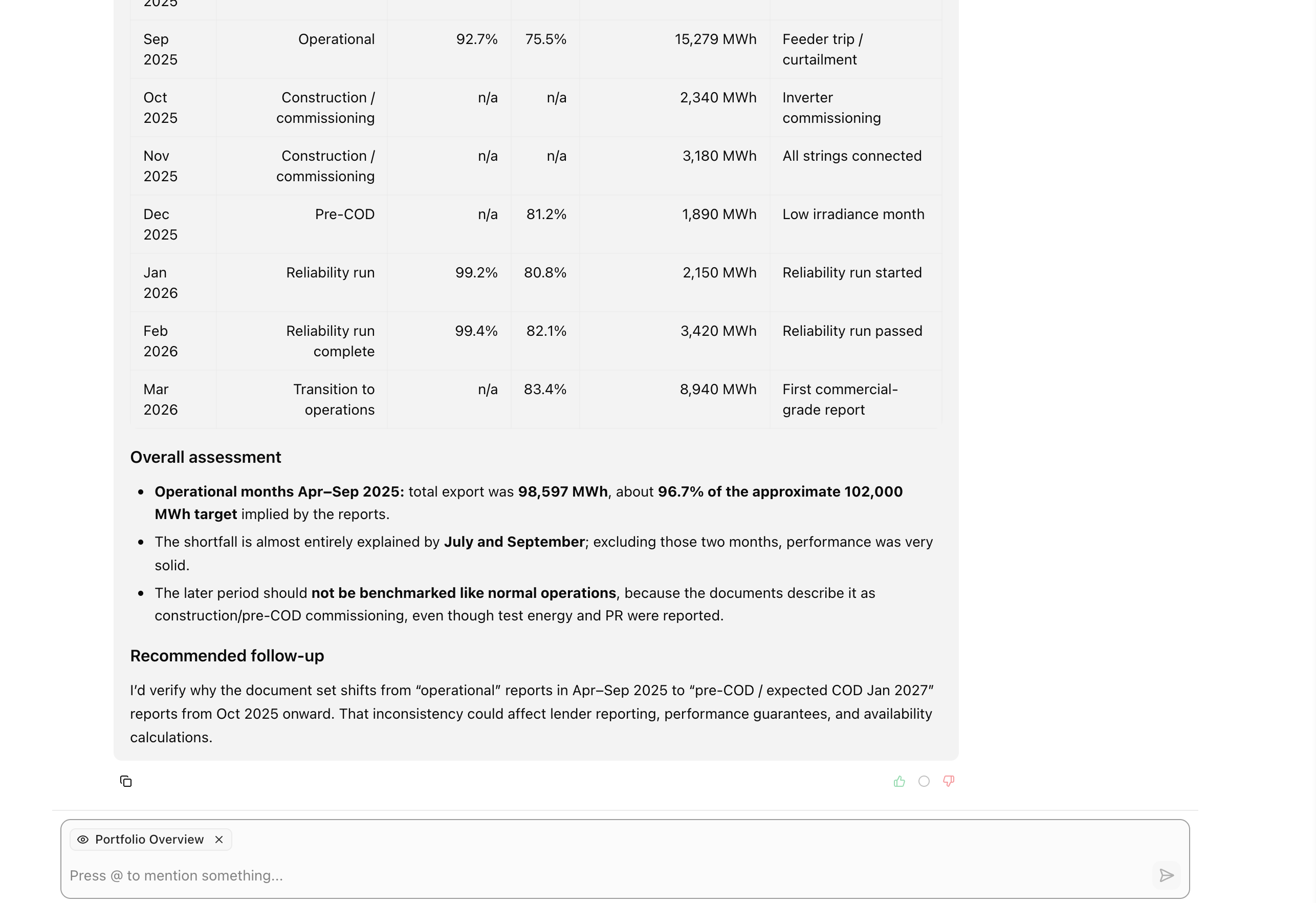
Section titled “Watch it work”Squirrel is agentic: it plans, takes a step, checks the result, and takes the next one, rather than answering in one shot. You can watch it work. While it works, it shows its activity steps, so you can see it read documents, look up facts, and pull the numbers together. When the answer starts, the steps fold into one line above it that counts the steps, excerpts, and documents. Then it answers with the evidence in hand, and links back to the documents it used. If a turn fails, the reply says so instead of staying blank.
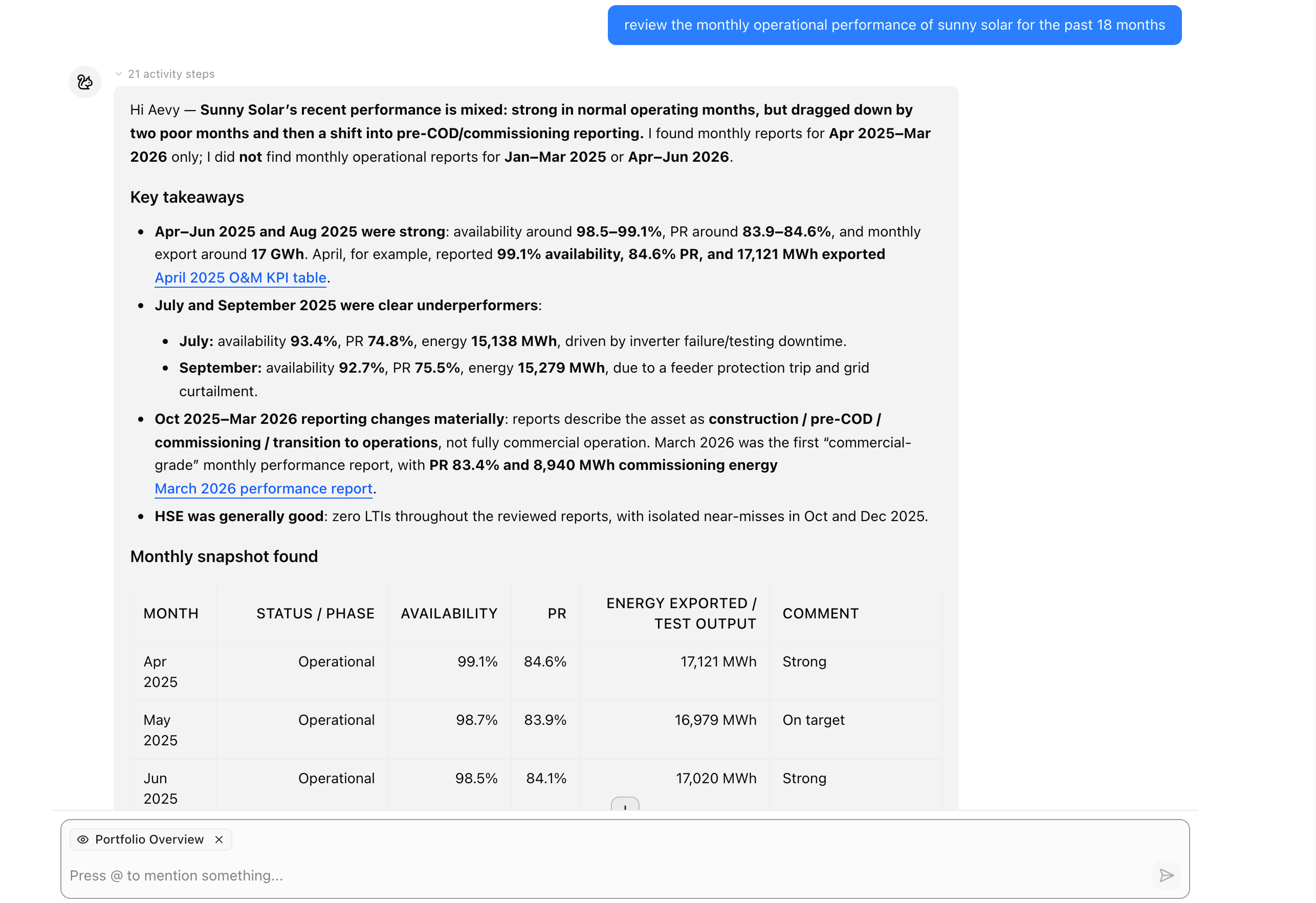
Because Squirrel works from your records, an answer is something you can open and act on. It cites the documents behind a claim, and you click a citation to reveal the exact source. The lineage guide covers this in depth. It returns assets, tasks, obligations, and documents as clickable mentions that open the record. Work you ask for arrives as a draft in the chat, with Create and Discard, and nothing is created until you press Create. Work Squirrel proposes on its own comes as a suggestion you accept, dismiss, or send back for a change.
Tell it what you care about
Section titled “Tell it what you care about”Squirrel remembers what you tell it: your role and assets from Getting to know you, and anything you ask it to keep in ordinary chat. You change it the same way: tell it that document gaps matter more than they did, or that it should stop drafting and only flag. The next answer reflects it. What Squirrel remembers is listed in your Squirrel Profile, where you can delete any of it.
Limits
Section titled “Limits”Aevy caps a saved view run, and its file export, at 1000 rows.
Squirrel leaves out documents that were replaced by a newer version or are duplicates, unless you ask about them. Documents removed from your source never appear. It gives a document’s file path or a link to the file only when you ask where the file is.
You can’t attach a document to the chat: documents reach Aevy only through the sync from your source. When a document you ask about isn’t in Aevy, Squirrel lists the folders the asset syncs from, and asks you to check that the file is in one of them. If it isn’t, contact Aevy.
There is no form to fill in for the work domain preferences.
What happens to your documents on the way through a model is in information security. They aren’t used as training data, by Aevy or by its providers.
What’s next
Section titled “What’s next”- Squirrel’s memory and background work: the page you’re on, the corrections you made in earlier chats, and a background helper for jobs too big for one turn.
- Getting to know you: the introduction Squirrel gives on your first visit.
- Mentions: pointing Squirrel at one asset, document, or task.
- Lineage: following a citation back to the passage it came from.