Punchlist
Track defects and issues found on your assets, from report to resolution.
What the punchlist is
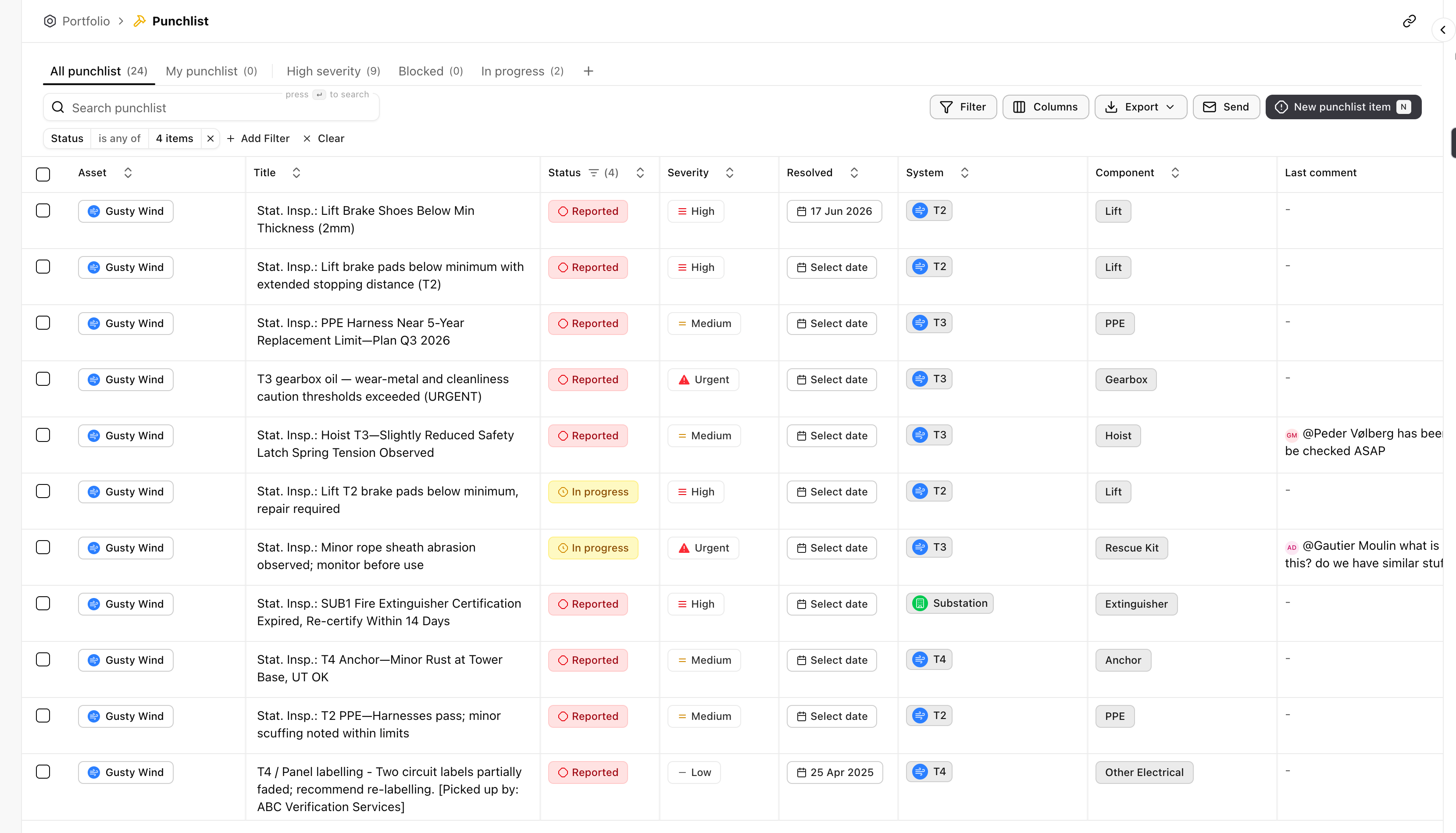
Section titled “What the punchlist is”The punchlist is where defects and issues live: a worn brake pad, an expired certification, a rust spot flagged in a statutory inspection. Each item names the asset and the system it sits on, how serious it is, and where it stands, so the open work on your portfolio is one list rather than a scatter of inspection reports.
Finding an item
Section titled “Finding an item”The list filters like every table in Aevy (see the table filtering guide). What is specific here:
- Saved views. All punchlist, My punchlist, High severity, Blocked, and In progress are prebuilt cuts, each with its own count.
- Search. Search punchlist matches on the item title.
- Filter. Filter and Add Filter narrow by any column, for example severity or status.
Each row names the asset, the defect in a line, its stage from Reported onward, and its severity, from Low through Medium and High to Urgent. The system column ties the item to the system or component it affects, so a defect rolls up to its equipment; once an item is closed, the resolved column carries the date.
Acting on the punchlist
Section titled “Acting on the punchlist”- Create. New punchlist item logs a defect against an asset.
- Send. Send emails an item out to whoever needs to act on it.
- Export. Export takes the current view out as a file.
Defects that Aevy reads from an inspection report arrive as suggestions: you review them, and accepting one adds the item here.