Reminders
Track everything due on your assets, from inspections to renewals, in one list.
What a reminder is
Section titled “What a reminder is”A reminder is a dated task on an asset: a calibration to run, an inspection to schedule, a certificate to renew. The Reminders page gathers them across your whole portfolio, so instead of chasing dates in separate documents you work from one list of what is due and what is overdue.
Finding a reminder
Section titled “Finding a reminder”The list works the same way as every other table in Aevy, so the table filtering guide covers the mechanics. The tools that matter here:
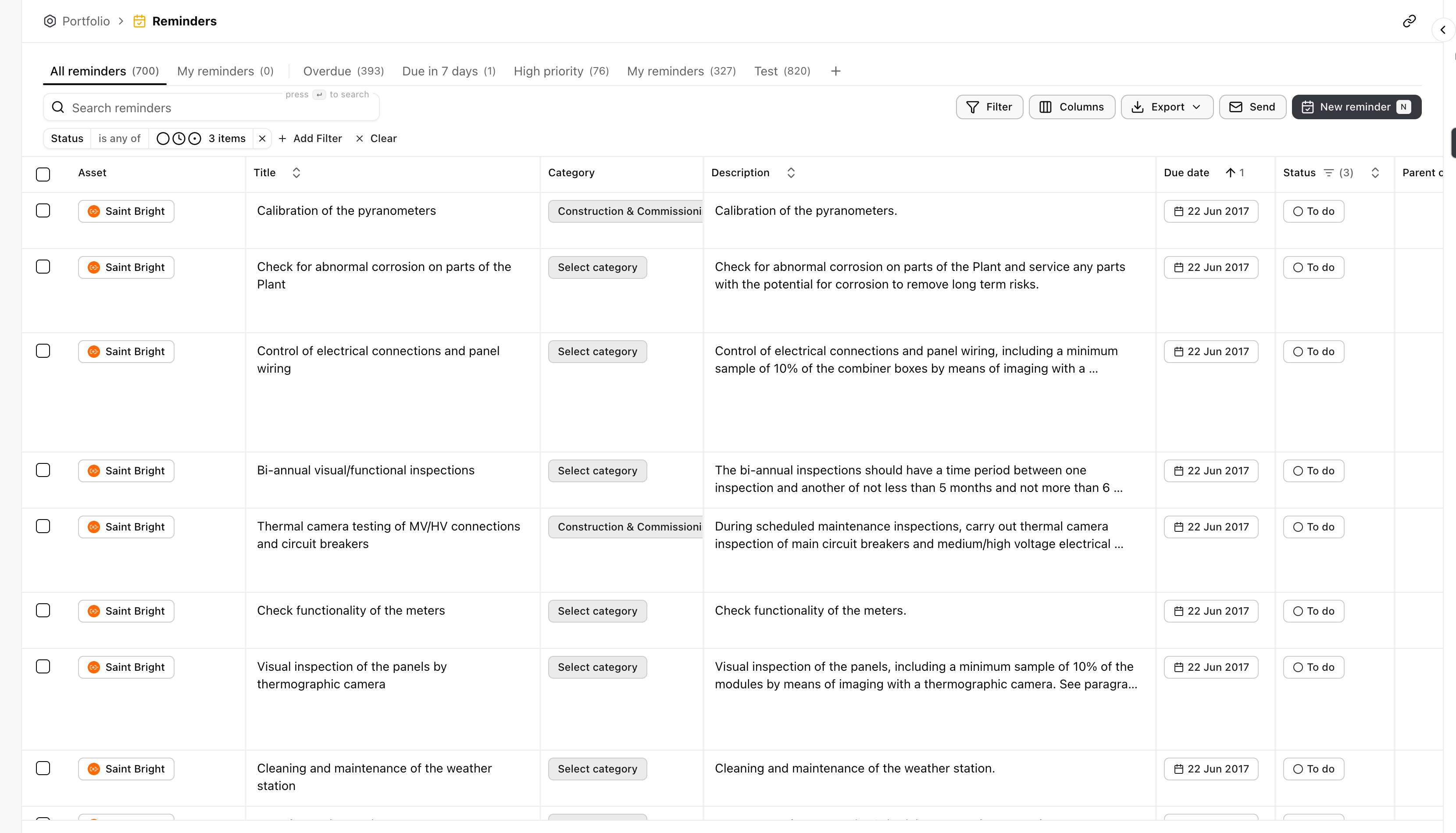
- Saved views. The tabs along the top are prebuilt cuts: All reminders, My reminders, Overdue, Due in 7 days, and High priority. Each keeps its own filters and columns, and the count next to it tells you how many match.
- Search. Search reminders matches on the title and description.
- Filter. Filter and Add Filter build a cut on any column, for example a single asset or a due date range.
Each row names the asset, what needs doing, its category, its due date, and its status from To do onward. Sort by the due date column to bring the next deadlines to the top.
Acting on reminders
Section titled “Acting on reminders”- Create. New reminder adds one, against an asset and a due date.
- Send. Send emails a reminder out, so a deadline reaches whoever needs to act on it.
- Export. Export takes the current view out as a file.
Reminders that Aevy proposes from your documents arrive as suggestions first: you review them, and accepting one adds the reminder here.