Events
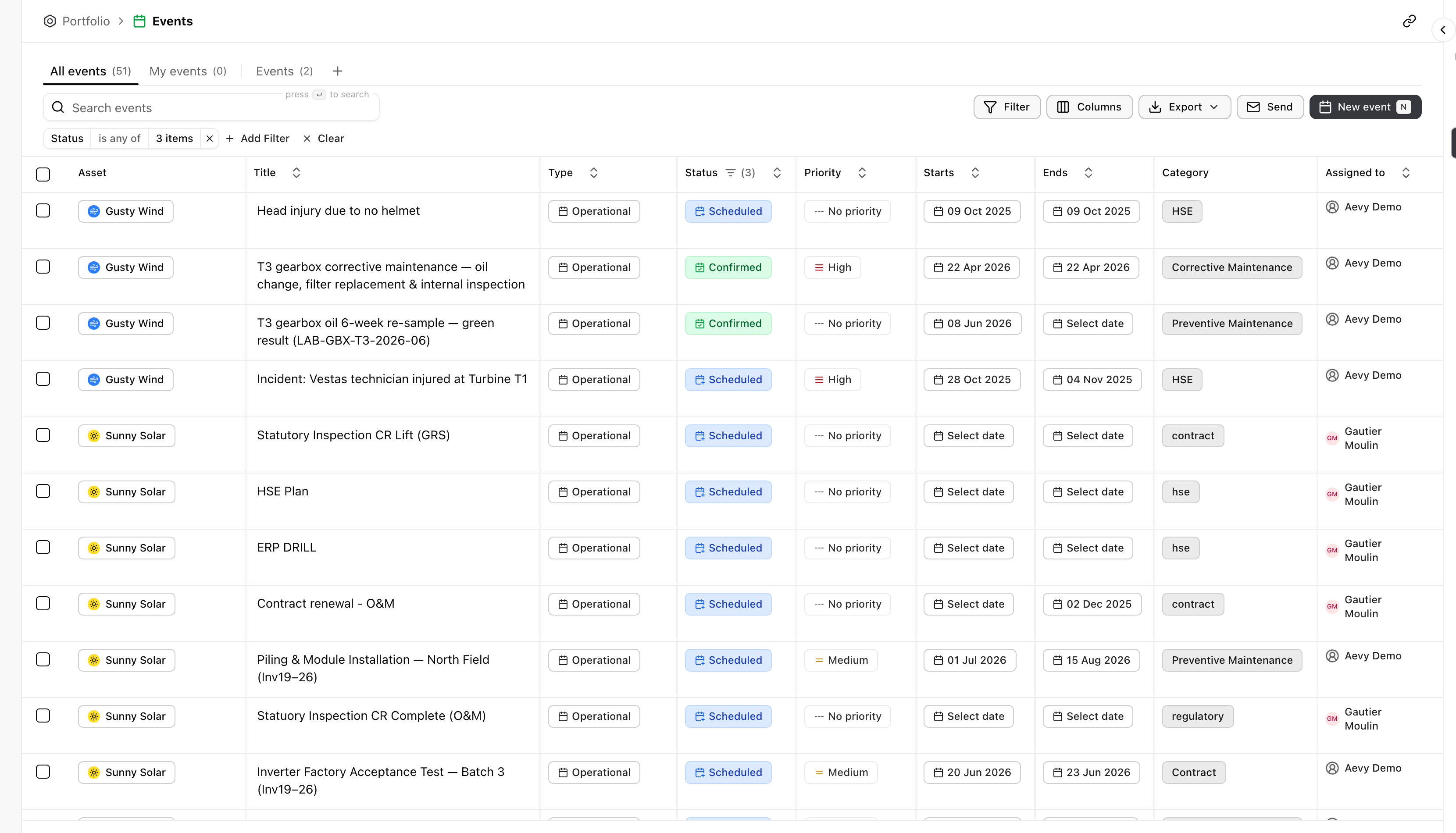
An event in Aevy is something happening on an asset on a date: a scheduled maintenance, a statutory inspection, a contract renewal, a recorded incident. Each event has a type, a start and an end, and a status. That makes the calendar of work across your portfolio one list you can plan from.
Events is an Asset Management feature. If Browse all in the sidebar doesn’t list it, switch mode from your account menu at the bottom of the sidebar.
Anatomy
Section titled “Anatomy”Each row on the Events page names the asset, what’s happening, the kind of event, its status from Scheduled to Confirmed, and its priority where you set one. It also has the dates it runs between. Sort by Starts to see what’s next.
Find an event
Section titled “Find an event”The events list filters like every table in Aevy. See the table filtering guide. What’s specific here:
- Saved views. Active events and My events are prebuilt views, each with its own count. Events Aevy proposes wait under the Suggestions tab, tinted, each with Accept and a dismiss button on its row.
- Search. Search events matches on the event title.
- Filter. Filter and Add Filter narrow by any column, for example status or a date range.
Create and update events
Section titled “Create and update events”New event schedules one against an asset and a date.
To change many at once, select rows with the checkbox on the left. Then set a status, a date, an assignee, or another field on one of them, and every selected event takes it.
Export or send events
Section titled “Export or send events”Send emails an event out to whoever needs it. Export takes the current view out as a file.
What’s next
Section titled “What’s next”- Findings: a defect logged as a finding becomes a scheduled repair.
- Tasks: a due task becomes a booked inspection.
- Bulk updates: the selection rules, the fields you can set, and the cap on one write.