Mentions
A mention in Aevy names a specific record inside a sentence. Type @, pick the asset, document, or task you mean, and it becomes a labelled chip pointing at that exact record. Mentions work in the Squirrel chat, in comments, and in notes. They scope questions to a record or bring in a teammate.
Anatomy
Section titled “Anatomy”The picker opens on @ and narrows as you type, grouping matches by kind. It ranks names the same way as Search: a word with a typo can still find its record, and a contract Aevy read as unsigned comes after the signed one. Pick one and it turns into a labelled chip. There is no guessing which “PPA” or which turbine you meant: the mention is the record itself.
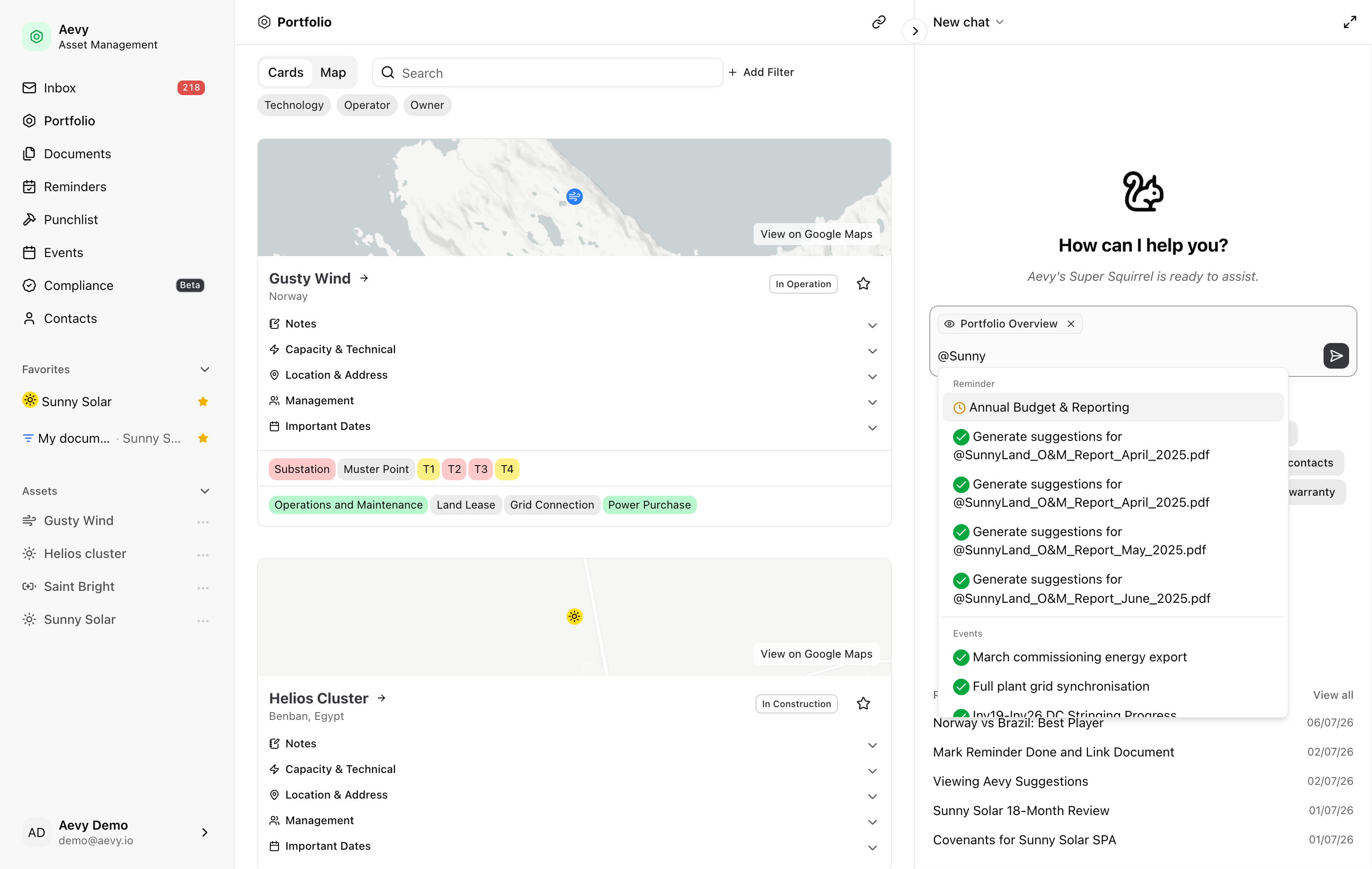
Eleven kinds of record are mentionable. Type @ to see them all, or keep typing to filter to one:
- Assets, Systems, and Documents: the things you manage and the files behind them.
- Tasks, Findings, Events, and Obligations: the work, the issues, the dated activities, and what your contracts and regulations require.
- Contacts, Companies, and Users: the people and organizations involved.
- Suggestions: a specific proposal Aevy has made.
Use a mention
Section titled “Use a mention”Mentions work anywhere you write in Aevy. That includes the Squirrel chat, a comment on any record, the notes on a task, a finding, an event, or a contact, and the description of a system. What the mention does depends on where you use it:
- In the Squirrel chat, a mention scopes your question to that record, so “summarize @Sunny Land PPA” points Squirrel to the exact document to read.
- In a comment, a mention references the record for everyone reading. Mention a teammate to bring them in, or mention Squirrel to ask it to act on the record.
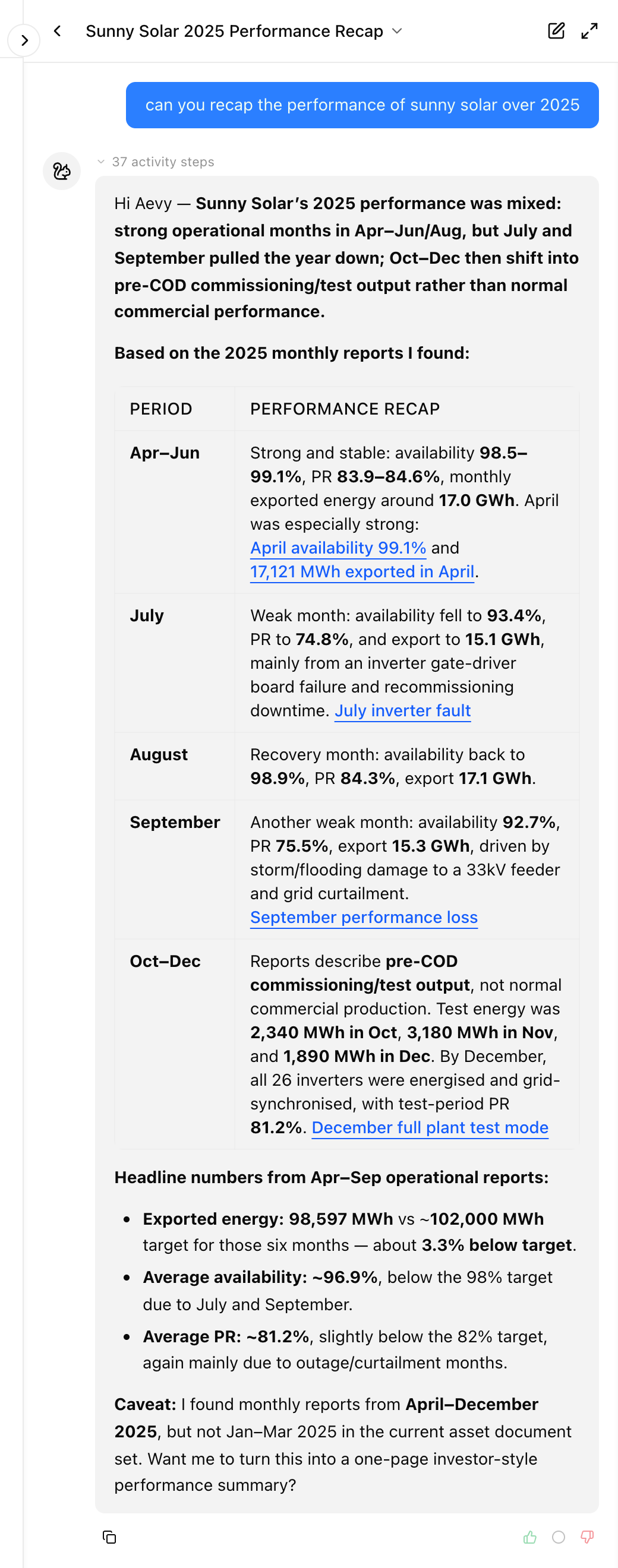
- In Squirrel’s replies, the mentions it returns are live links: click one to open the asset, document, task, or obligation.
Limits
Section titled “Limits”A mention you type is a live, clickable link only in Squirrel’s replies. Where you type it, in the composer, a comment, or a note, it stays as a label that names the record rather than a link you can click.
What’s next
Section titled “What’s next”- Squirrel: the chat a mention scopes, and what it can do with the record.
- Activity log and comments: where a mention reaches a teammate on a record.