A new sidebar
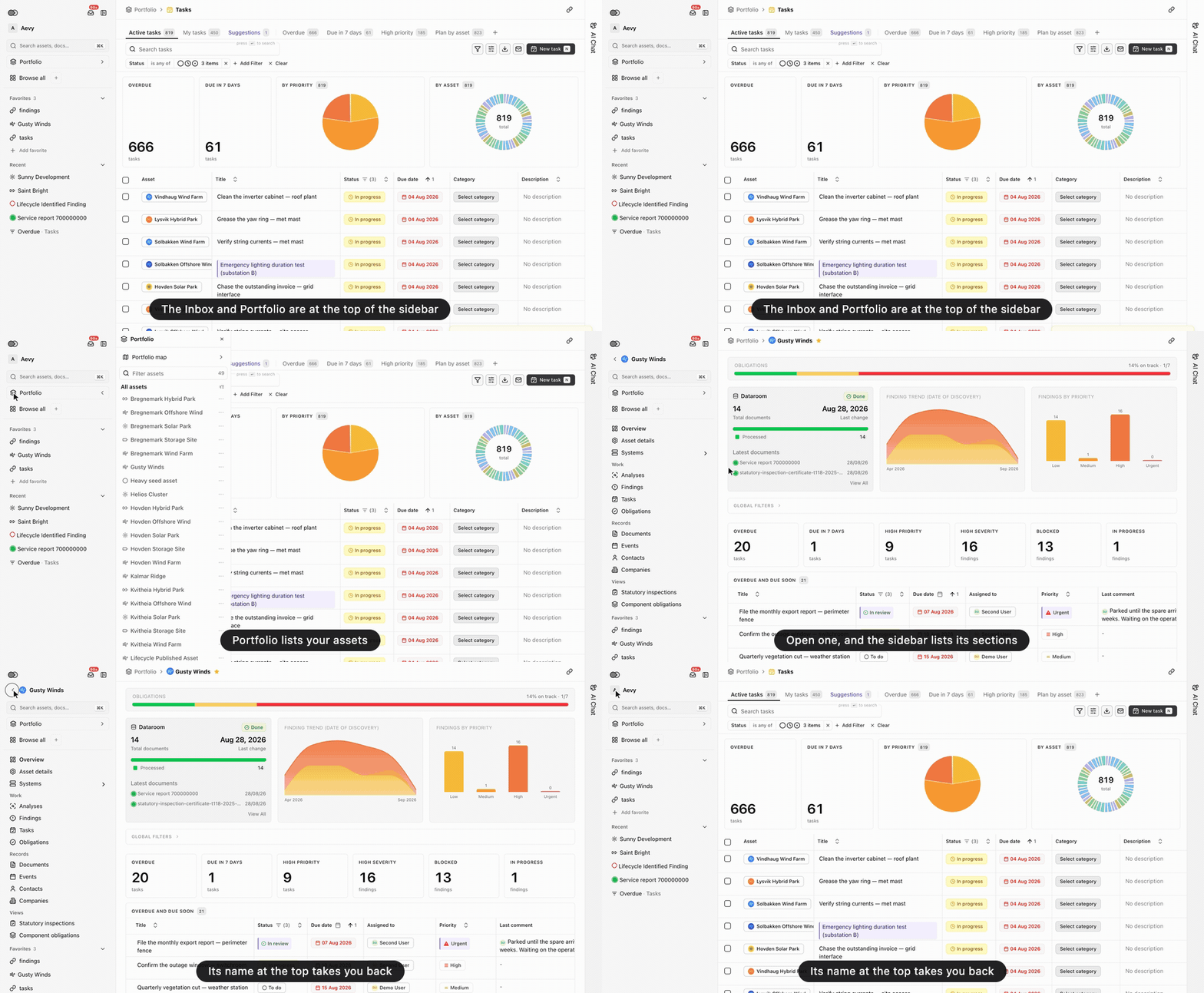
The sidebar has a new layout. The Inbox and the fold button are at the top. Portfolio opens a panel that lists your assets, which you can filter or group by technology or country. The app’s pages are under Browse all, and you can pin up to six of them to the sidebar as icons. Favorites are the main list, with an Add favorite row and, under them, the records you opened recently. When you open an asset, the sidebar lists the asset’s sections, and the asset page no longer has a menu of its own. Your mode moved to the account menu at the bottom. The sidebar no longer folds by itself: it stays open or folded until you change it (Cmd+B).