Search from any page with Cmd+K
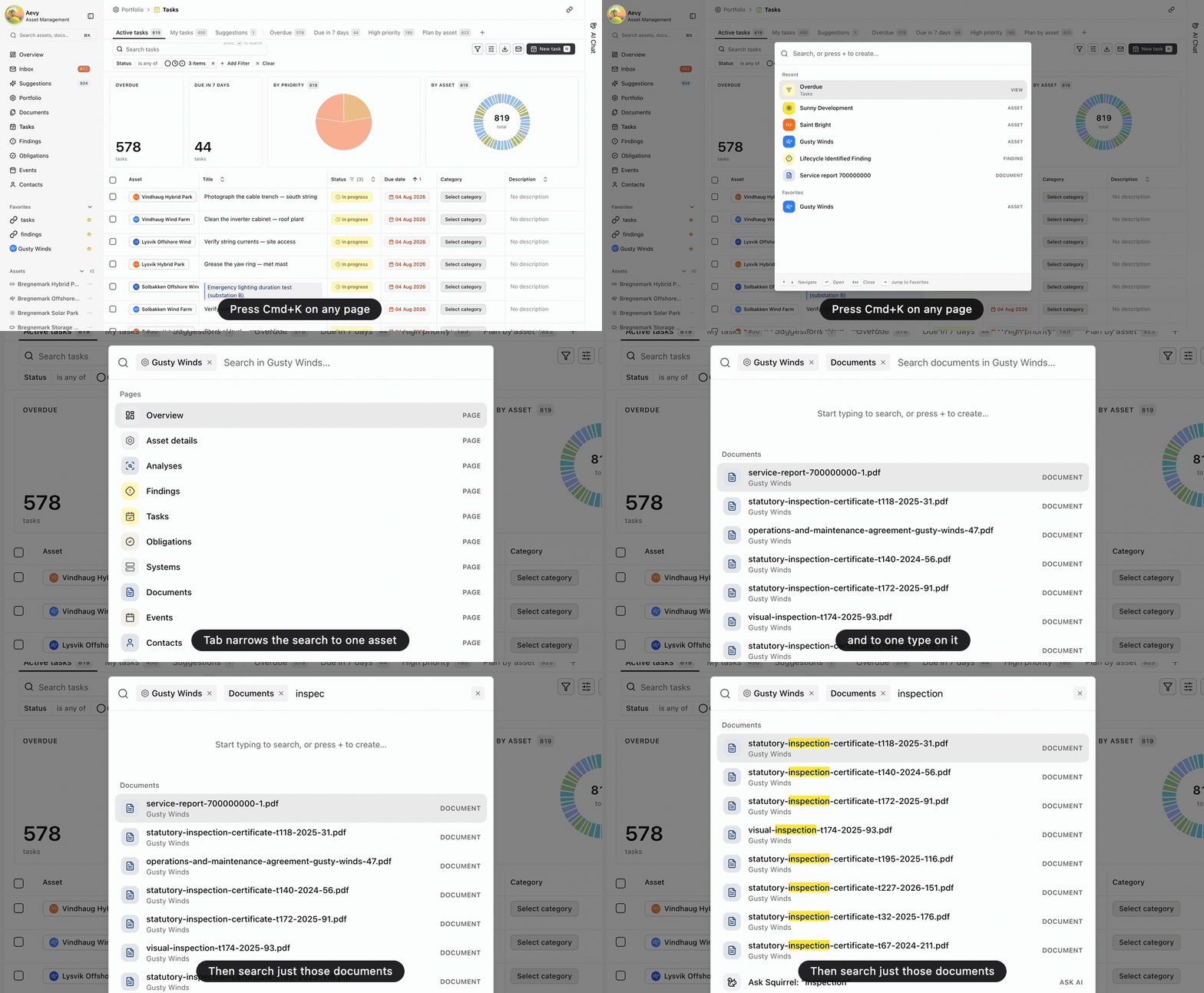
Click the search box at the top of the main sidebar, or press Cmd+K on any page, and type part of a name. Assets, documents, tasks, findings, and the other record types come back grouped by type, along with your saved views and the app’s pages. Before you type, Search lists what you opened recently and your favorites. Press Tab to narrow the results to one type, or to one asset and then a type on it. When nothing matches, Enter sends your text to Squirrel as a question.