An asset has a sidebar of its own
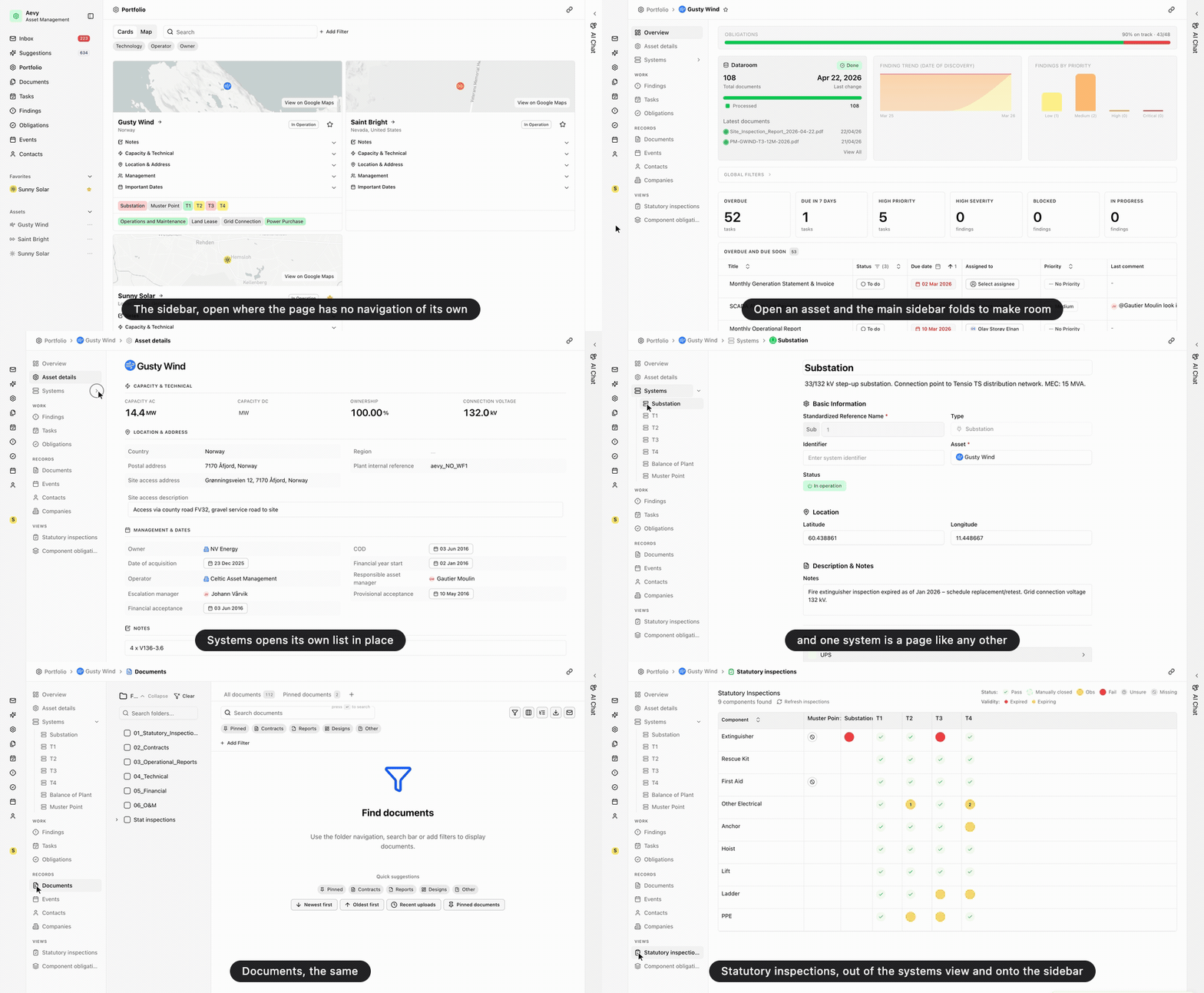
An asset now has a sidebar of its own on the left, replacing the tab strip across the top. It lists every page on the asset in four groups. The first is the asset itself, with its overview, details, and systems. The others are the work on it, the records it holds, and the read-only views. Each row is a page with its own address, so a shared link opens that page directly instead of the top of the asset.
While you are on an asset, Aevy’s main sidebar folds to icons and expands when you point at it, so the two sidebars share the left edge. Overview is now a dashboard: you can add, customize, and filter its sections, and the arrangement is stored per asset.
The sidebar’s contents follow your mode. Asset Management shows the operational pages, systems among them. Due Diligence drops those and shows the asset as a review instead, with findings ranked by severity.
Also in Asset overview, Systems and components, Getting around